
Talking Head

Quick verdict

Talking Head vs TikTok: What Should You Make?

In talking head vs tiktok, the choices are not opposites: one is a person-speaking-to-camera format, while the other is a platform with its own viewing habits. Make a talking head video when a clear human explanation is the point; shape it for TikTok when it must earn attention in a short, mobile-first feed.

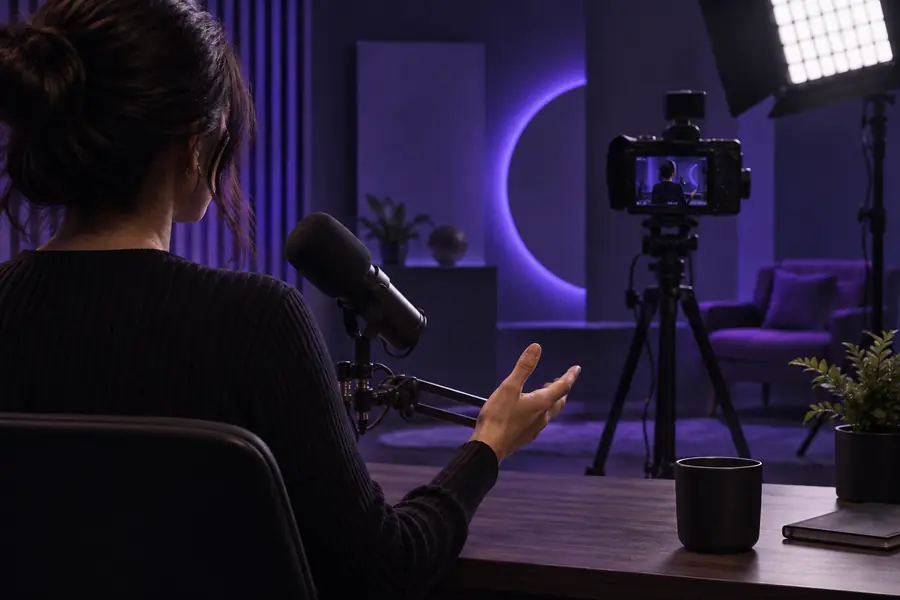
Talking Head video creation imagery

Dimension by dimension: start with the message

The useful question is not whether one style wins everywhere. It is how much context your viewer needs before they can act.

The educator

You need to explain a process with a beginning, middle and end. A talking head gives viewers one consistent guide, but a lengthy introduction may lose people scrolling TikTok.

Lead with the answer, then decide whether the full explanation belongs in a longer video. For a longer-form comparison, see talking head vs youtube.

talking head vs youtube

The product demonstrator

You have a visible result to show before explaining how it works. On TikTok, the result can be the opening shot; a talking head can then supply the reason behind it.

Show the outcome first and keep the speaker's explanation tied to what is on screen. For the recording setup decision, see talking head vs camera.

talking head vs camera

The subject expert

Your credibility comes from a measured explanation, not a rapid sequence of visual surprises. A direct-to-camera talking head keeps the speaker and their reasoning together.

Use a concise opening claim for a TikTok cut, and save qualifications that need space for the complete version. Compare longer viewing habits in talking head vs youtube.

talking head vs youtube

The camera-shy creator

You want a recognisable presenter but cannot record every line in one take. A generated or edited talking head may help with presentation, though it still needs careful review.

Check the voice, timing and on-screen claims before publishing to TikTok. Weigh filming against other presenter options in talking head vs camera.

talking head vs camera

Who each suits: a practical decision path

Choose the format for the job, then adapt the edit for the place it will be watched. A talking head can be the source footage for a TikTok post.

  1. 1

    Name the viewer's question

    If the viewer needs an explanation or reassurance, put a speaker on screen and answer plainly. If the idea is understood at a glance, begin with the result and use speech only where it adds context.

  2. 2

    Choose the viewing experience

    A standalone talking head can allow a steady pace and complete argument. For TikTok, plan for a vertical frame, a clear opening and captions that still make sense with the sound off.

  3. 3

    Test the first moments

    Watch the opening without prior context. Can someone tell what they will gain before the speaker finishes introducing themselves? If not, move the key claim earlier rather than adding faster cuts.

Migration path: take one explanation across formats

Record a complete answer first, then make a separate short edit rather than speeding up the original. These related guides cover the next decision in that workflow.

Migration path: what a format change will not fix

Reframing a talking head for TikTok changes how it is presented, not whether the underlying message is useful.

  • It cannot guarantee reach

    A vertical crop and quick captions do not ensure that a TikTok post will be shown widely. Distribution depends on factors outside the video format.

    WorkaroundJudge the edit by whether a new viewer can understand its promise, then assess published results without assuming a particular reach.

  • It cannot rescue a missing point

    Cutting pauses from a talking head will not make an unclear explanation compelling. Fast edits can even remove the context that made the answer trustworthy.

    WorkaroundWrite the main claim in one sentence before editing, and keep only the supporting details the viewer needs.

  • It cannot make every subject brief

    Some demonstrations, qualifications and sensitive topics need more room than a short feed clip comfortably provides.

    WorkaroundUse TikTok to introduce one useful idea, then direct interested viewers to an appropriately complete explanation.

Verdict first: the side-by-side table

For talking head vs tiktok, compare the production format with the platform's common viewing context. You can use both together; the table shows what changes when the destination is TikTok.

1

What it describes

Talking head format

A speaker addresses the viewer, usually with the face as the visual anchor.

TikTok-first edit

A video shaped for TikTok's mobile feed; it may or may not feature a speaker.

2

Best opening

Talking head format

A clear statement of the question or point.

TikTok-first edit

A result, question or claim that makes sense immediately.

3

Pacing

Talking head format

Can make room for a complete thought and natural pauses.

TikTok-first edit

Usually benefits from removing setup that delays the main point.

4

Framing

Talking head format

Can be composed for the intended destination, including wider frames.

TikTok-first edit

Should remain legible in a vertical, phone-sized view.

5

Sound-off viewing

Talking head format

Speech may carry most of the meaning unless captions are added.

TikTok-first edit

On-screen text and captions can help the point land before sound is enabled.

6

Visual variety

Talking head format

The speaker may remain on screen throughout.

TikTok-first edit

Cutaways or demonstrations can support the speaker when they clarify a claim.

7

Best fit

Talking head format

Trust-building answers, teaching and explanations that need continuity.

TikTok-first edit

A focused idea that can stand alone in a scrolling feed.

Migration path: picture the change in presentation

  • Complete explanation
  • TikTok-focused cut

The useful change is editorial, not simply cosmetic: retain one clear claim, make it understandable without a long introduction, and keep the speaker visible when their presence strengthens the message.

Illustration representing a presenter-led video comparison
Illustration representing a presenter-led video prepared for TikTok

Migration path: make a focused first cut

Turn a clear explanation into a watchable clip

Talking Head can help you explore a presenter-led video. Start with one audience question, write the answer in plain language, and review the result for accurate speech, readable framing and a strong opening before sharing it on TikTok.

Try video creation
  • Start with one claim rather than a full script
  • Keep the presenter where their explanation adds value
  • Review captions, timing and context before posting

Comparison FAQ

No. A talking head describes a video format in which a person speaks to the viewer; TikTok is a platform where many formats appear. A talking head video can be made for TikTok if its framing and opening suit that viewing context.

They can work when the speaker has a specific point and gets to it quickly. Captions, a readable vertical composition and a concrete opening help viewers understand the clip without already knowing the speaker.

Choose the speaker when their expertise, demonstration or personal perspective is central to the idea. Choose a more visual opening when the result itself explains the appeal faster than an introduction would. You can combine them by showing the result before the speaker explains it.

Yes, but selecting a complete, self-contained point usually works better than posting an arbitrary excerpt. Check that the crop preserves important visuals and that the short cut does not remove a necessary qualification.

Captions are a useful accessibility aid and can help someone follow speech when watching without sound. Review them against the audio, especially for names, technical terms and claims that could change meaning if transcribed incorrectly.

Start creating
Start creating